Onelios is a free website builder for electricians: the AI drafts your site from three answers, writes a separate page for each job you ask for, keeps quote and booking requests in one inbox, and emails a review request to the customers you pick, who write the review themselves.
Researched by the Onelios team at KCF LLC (about us) from the primary sources listed at the end of this page. Checked . A summary to help you check your own rules, not legal advice.
Free to build and publish. No card. See what is included
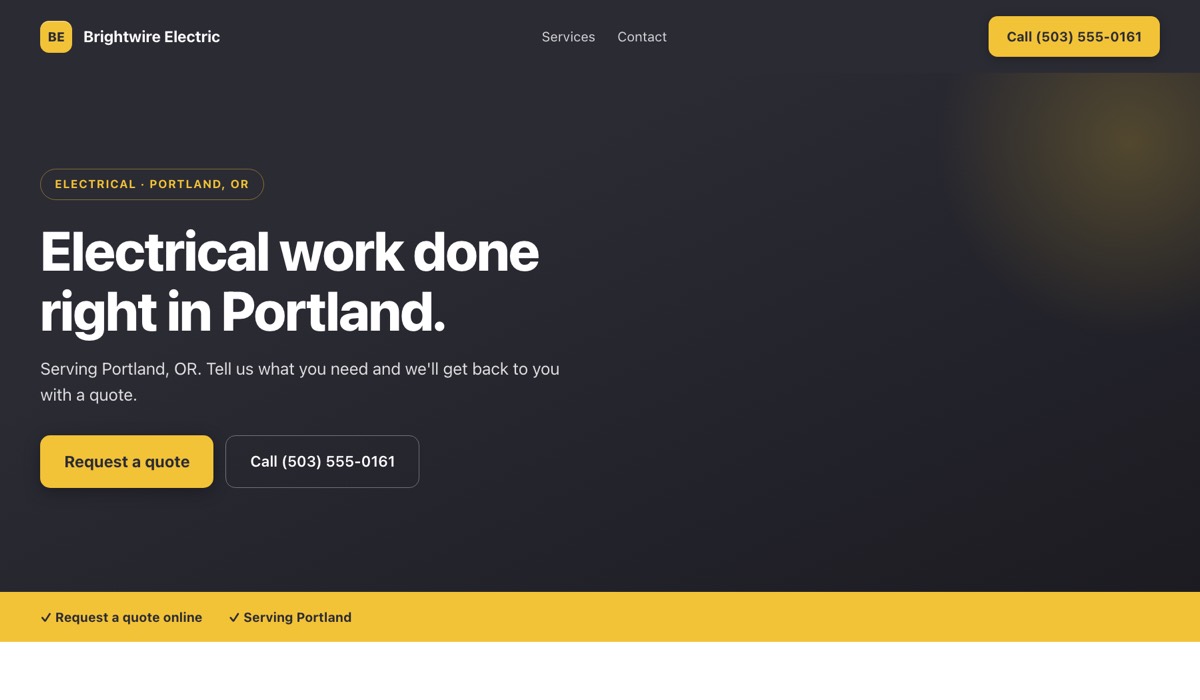
What Onelios does for you
- Website: The AI drafts your headline, your services and a line about each from three answers: your business name, what you do and your city. You preview it in desktop and phone views before you publish.
- A page per job: Type a title such as “EV charger installation” and a page is written and published with an intro, what's included, common questions and a “Request a quote” button.
- Requests: Every site has a quote form; booking requests open once you save your hours. Each request is saved in your inbox and an email alert to you is attempted.
- Reviews: Email a review request to a customer you pick. They write the review themselves through a private link, and it appears on your site.
- Monday email: What came in through your site that week, the one thing that needs you, and a plain line saying phone calls and texts are not counted.
What goes on an electrician website?
Your business name and a call button, a headline saying what you do and where, the jobs you take with a line about each, your license number in plain text, photos of finished work, and a quote form. Then add a separate page for each job, such as panel upgrades or EV charger installation.
The six starting services listed further down this page are a draft, not a promise. Delete any you do not do before you publish — the emergency line especially, if nobody answers your phone at night — because a customer reads every line on the site as yours.
Ask for a page per job and each one is written and published with an intro, a “What's included” list, common questions, a “Request a quote” button and a link back to your homepage. A panel upgrade and an EV charger install raise different questions, so each gets its own page rather than a line in a list. If a week brings no requests, the Monday email suggests an “EV Charger Installation” page. That is the same suggestion every electrical site gets, not a reading of your area.
For photos, show finished work where the quality is visible: a panel with every circuit labeled, a charger mounted level with a tidy conduit run, a clean lighting install. Upload JPEG, PNG or WebP photos from your phone; each is resized in your browser before it uploads. A caption can run to 160 characters, and your site shows your 24 most recent. Skip stock photos of gloved hands and a multimeter. They show nothing of yours.
Free to build and publish. No card. See what is included
Where does my license number go on an electrician website?
In plain text where a customer will see it, after you check your state's rule. California's contractor law requires the license number in all advertising, and its contractor board lists any website that solicits business as advertising. Florida's electrical contracting law requires the number in every advertisement, regardless of medium. Other states set their own rules.
The California Contractors State License Board's advertising guide puts the civil penalty for leaving the number off at $100 to $1,000 for a first offense. The same guide says you may advertise only work inside your license classification — its own example is a C-29 masonry contractor, who cannot advertise electrical work without also holding a C-10 electrical license — and that the law prevents you from saying in advertising that you are bonded.
“Certified” has a specific meaning in California too. The state's Department of Industrial Relations says electricians who make connections of more than 100 volt-amperes for a C-10 contractor must hold a state certificate, apart from the qualifying person who took the license exam. It lists five certification classifications: General Electrician; Residential Electrician; Fire/Life Safety Technician; Voice, Data, Video Technician; and Non-residential Lighting Technician. If your site says your people are certified, name which one.
Florida's statute sets a fine of at least $100, or a citation, for submitting an advertisement without the number. Texas's licensing department (TDLR) requires the license number on invoices and written contracts, and on both sides of each work vehicle with the TECL prefix; its compliance guide for electricians says nothing about a contractor's own website, so ask TDLR rather than assume either way.
On an Onelios site, type the number into the line under your headline. You edit that line yourself and it sits at the top of your homepage. The AI is instructed not to write licenses or other credentials you did not give it, and the pages it writes for each job are given only your business name, trade, city and the page title, so those pages do not show your license number. If you ask the AI to rewrite your homepage wording, check the line is still there before you save.
What should an EV charger or panel upgrade page say in 2026?
What you install, what the customer should have ready, and no promise of a tax credit a new install cannot get. The IRS lists the federal home charger credit — 30% of the cost, up to $1,000 per item — only for chargers placed in service from January 1, 2023, to June 30, 2026, in eligible census tracts.
The panel credit has an end date too. The IRS energy-efficient home improvement credit covered panelboards, sub-panelboards, branch circuits and feeders of 200 amps or more needed to support qualifying home energy equipment, up to $600 per item, and the IRS lists it for improvements made through December 31, 2025. If your site, flyers or profile still mention either credit, take it off: a customer reading it today could expect money the IRS page does not list for new work.
In California, charger work paid for with public money has its own rule. The state Energy Commission says most chargers funded by it or the Air Resources Board must be installed by a contractor with an appropriate license classification, with at least one EVITP-certified electrician on each crew, and at least 25 percent of the electricians on the crew certified when the ports supply 25 kilowatts or more. If you hold EVITP certification, type it into the EV charger line of your services list yourself; the AI is instructed not to add a credential you did not give it.
The page Onelios writes for a job has common questions of its own, written from the page title, your business name, trade and city and nothing else, so it knows nothing of your prices or how you work. Read it once it is live; if a line is wrong, remove the page and ask again with a clearer title. The quote form has no photo upload, so when a charger or panel request arrives, reply to the email alert and ask for a photo of the panel label. When the customer left an email address, your reply goes straight to them.
How do customers book an electrician, and what reaches me?
Every Onelios site has a quote form. Booking requests open once you save your working days, hours and time zone: a customer picks a start time and you confirm it. Each request is saved in your inbox and an email alert to you is attempted. Other calendars and overlapping jobs are not checked, so confirm against your own schedule.
Booking suits planned work: a lighting install, an inspection, a visit to quote a charger. It is the wrong route for an outage or a burning smell, because a request waits for you to confirm it. Enter your phone number and a call button appears at the top of your homepage, with your number as a call link above the quote form. That is the route for anything urgent.
Reply to a quote or booking alert and your answer goes to the customer directly when they left an email address; a customer who left only a phone number is yours to call. Onelios sends no text messages and no automatic reminders. A missing alert does not mean a lost request: every one is still in your inbox.
How does Onelios compare with other electrician website builders?
Read on each vendor's own page on September 23, 2026: Siimple is $10 a month, or $8 a month billed yearly, for a one-page site. Jobber includes a website builder with every plan; Core lists at $49 a month, billed monthly. Durable's paid plans are $25 and $49 a month, billed monthly. Onelios is free right now, with no card.
For electrical work the difference is pages. Siimple says it is a one-page builder that does not support multiple pages, so a panel upgrade and an EV charger share one page. Jobber says its builder generates pages from the services you offer and is included at no additional cost, so if you already pay for Jobber you may not need a second site. Housecall Pro's own team builds 1-, 5- or 15-page sites, shows no price on its website page, and says the first draft arrives within a few weeks. Durable's pricing table lists unlimited AI-generated pages on every plan, but gives its Free plan no free subdomain and shows its domain as a private preview.
Onelios is the front of the business only: no invoicing, payments, text messages, staff logins or permit paperwork. The features that work today, and the ones that do not yet, are listed on onelios.com/what-it-does; the cost is on onelios.com/#pricing.
Built for electrical work
Your site starts with these services listed — ask for a full page for any of them:
- Panel upgrades
- Emergency repairs
- Lighting
- EV chargers
- Rewiring
- Safety inspections
Free to build and publish. No card. See what is included
Common questions
Do I have to put my license number on my electrician website?
In some states, yes. California's contractor law requires it in all advertising, its contractor board counts a website that solicits business as advertising, and the civil penalty for a first offense is $100 to $1,000. Florida requires it in every advertisement, regardless of medium. Elsewhere, check your state licensing board. On Onelios, type it into the line under your headline.
Can I say I am bonded on my electrician website?
Not in California. The state's contractor board says the law prevents you from noting in advertising that you are bonded, because it could suggest more protection than bonding gives. Other states set their own rules, so check yours. Onelios's AI is instructed not to add licenses, credentials or guarantees you did not give it.
Can I still advertise the federal EV charger tax credit?
Not for a charger installed now. The IRS lists the home charger credit — 30% of the cost, up to $1,000 per item — for chargers placed in service from January 1, 2023, to June 30, 2026, in eligible census tracts only. A customer with questions about an earlier install should ask a tax professional.
Can I have a page just for EV charger installation?
Yes. Type the title and the page is written and published with an intro, a “What's included” list, common questions, a “Request a quote” button and a link back to your homepage. The AI writes it from the title, your business name, trade and city, so read it once it is live; if something is wrong, remove it and ask again.
Will the AI add my license number or certifications?
It should not. The AI is instructed not to write licenses, credentials, guarantees, prices or years in business you did not give it, but it can still make mistakes, so read the draft before you publish. Type your license number and certification into your homepage yourself, exactly as they appear on your license and certificate.
Can customers book an emergency electrician online?
They can send a booking request once you save your hours, but it waits for you to confirm, so it is the wrong route for an outage. Add your phone number and a call button appears at the top of your site, with your number as a call link above the quote form. Onelios sends no text messages.
Is this electrician website builder free?
Yes, right now: building, publishing, connecting a domain you already own and every tool, with no card. A small “Site by Onelios” line stays on the site, and Onelios does not sell domains. Current pricing is on onelios.com/#pricing.
Will my electrician website show up on Google?
Not on the free Onelios address, which is kept out of Google on purpose. On a domain you own it can appear in Google, though Google decides whether and when, and Onelios does not track search positions. Connecting your own domain is free.
Sources
- California Business and Professions Code §7030.5 (license number in advertising), read
- California Contractors State License Board, Advertising Guidelines for Contractors, read
- California Contractors State License Board, C-10 Electrical Contractor classification, read
- California Department of Industrial Relations, Electrician Certification FAQ, read
- Florida Statutes 2026, §489.521 (electrical contractors: number in advertisements), read
- Texas Department of Licensing and Regulation, Electricians Compliance Guide, read
- IRS, Alternative Fuel Vehicle Refueling Property Credit (30C), read
- IRS, Energy Efficient Home Improvement Credit (25C), read
- California Energy Commission, Electric Vehicle Infrastructure Training Program (EVITP) information, read
- Siimple, website builder for electricians (price and one-page limit), read
- Jobber, website builder features, read
- Jobber, pricing, read
- Durable, pricing, read
- Housecall Pro, websites, read
Other trades we build for
Plumbers, Landscapers, Contractors, HVAC companies, Dentists, Salons & beauty, Cleaning services, Roofers, Auto repair, Pest control, Locksmiths, Garage door repair, Tree service.
Build a free draft for your electrical business. Review it before publishing. Get started · See pricing · What you get · Talk to us