Onelios is a free website builder for HVAC companies: the AI drafts your site from your business name, what you do and your city, and you review it before publishing. It keeps quote and appointment requests in one dashboard, tries to email you about each, and publishes reviews your customers write.
Researched by the Onelios team at KCF LLC (about us) from the primary sources listed at the end of this page. Checked . A summary to help you check your own rules, not legal advice.
Free to build and publish. No card. See what is included
What Onelios does for you
- Your website: Three answers — your business name, what you do and your city — and the AI drafts a site listing AC repair, furnace service, installs, tune-ups, ductwork and thermostats. Keep only the work you do, and read every line before you publish.
- Service pages: Type a job, such as “heat pump installation”, and a page is written with an intro, what's included, common questions and a quote button, then linked from your home page.
- Requests: A quote form on every site, plus appointment requests you confirm once your hours are saved. Each one is kept in your dashboard, and an email alert to you is attempted.
- Reviews: Review requests go by email; the customer writes the review and it appears on your site. There are no text messages, and replying to reviews is not built.
- Monday email: What came in through your site that week, one thing worth your time, and a plain line about what it cannot count, such as phone calls.
What goes on an HVAC website?
Your business name and phone number where a caller sees them first, the heating and cooling work you do, the towns you cover, a page for each main job, your license number, photos of your own installs, reviews your customers wrote, and a quote form. Online appointment requests help once your working hours are set.
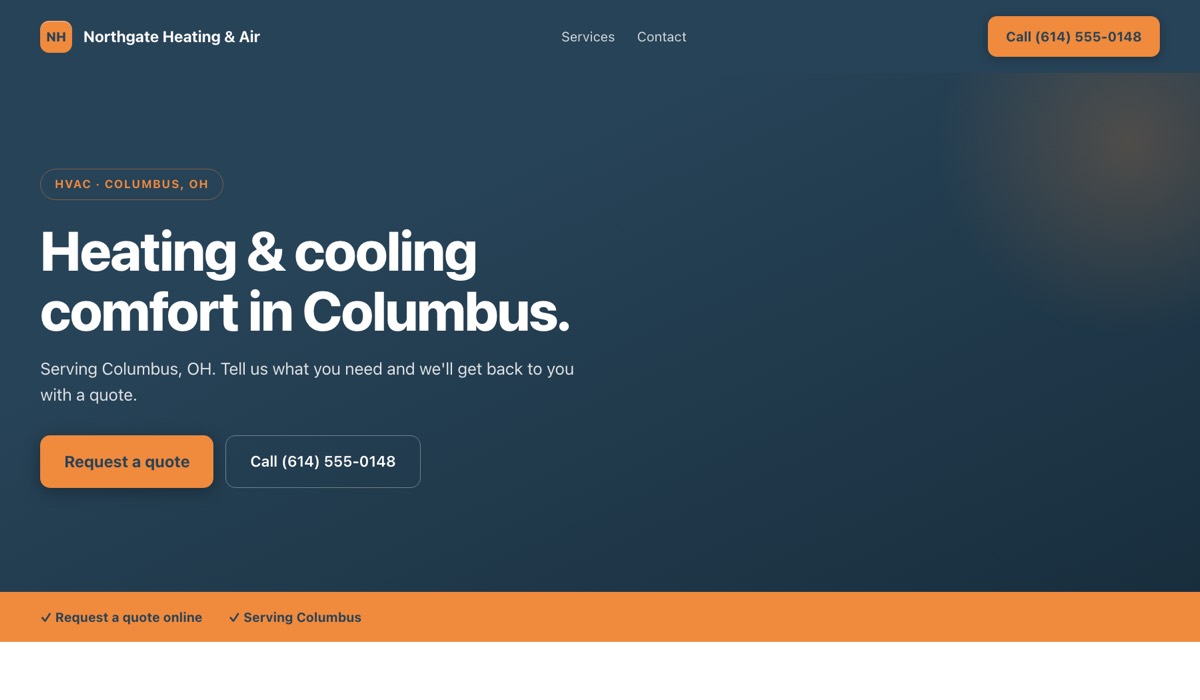
Onelios starts an HVAC site with six services: AC repair, furnace service, new installations, seasonal tune-ups, ductwork and smart thermostats. You keep the ones you actually do. The AI drafts the headline and a line about each service from three answers: your business name, what you do and your city. You preview the draft in phone and desktop layouts before you publish, and the words stay yours to change afterward.
Ask for a page per job in plain words: “furnace repair”, “heat pump installation”, “duct sealing”. Each page gets a short intro, a “What's included” list, common questions and a Request a quote button, and is linked from your home page. The call button sits at the top of your home page once you add a phone number. The photo gallery and the reviews section appear only once you have photos or reviews to show.
While your HVAC site sits on its free onelios address, Onelios keeps it out of Google deliberately. Point a domain you already own at it (free to connect; Onelios sells no domains) and that same site becomes eligible to show up in Google. Whether and when it does is Google's call, and Onelios does not measure where it appears.
Free to build and publish. No card. See what is included
What should an HVAC website say about your license and EPA certification?
Your license with its number, and the EPA Section 608 certification your technicians hold. California and Florida require a contractor's license number in advertising, and the EPA tells homeowners to use dealers whose technicians are certified to handle refrigerant. The Onelios AI is instructed not to add credentials, so you type your own in.
California's Business and Professions Code section 7030.5 says every licensed contractor must include the license number in “all forms of advertising”. California's contractor board licenses this work under its C-20 classification (warm-air heating, ventilating and air-conditioning), and tells homeowners installing a new HVAC system to check first that the contractor holds an active C-20 license in good standing. Florida's section 489.119 requires a contractor's registration or certification number in each advertisement “regardless of medium”, and the same chapter of Florida's statutes covers its Class A, B and C air-conditioning contractors. Other states write their own rules, so read your state licensing board's page rather than a summary like this one.
EPA rules under Section 608 of the Clean Air Act require technicians who maintain, service, repair or dispose of equipment that could release refrigerant to be certified. Attaching gauges to read pressure, or adding or removing refrigerant, counts. There are four types: Type I for small appliances, Type II for high- and very high-pressure appliances (other than small appliances and vehicle air conditioning), Type III for low-pressure appliances, and Universal for all of them. The credential does not expire, and an apprentice is exempt only while closely and continually supervised by a certified technician. “EPA 608 Universal certified” tells a careful customer more than “certified technicians”.
The Onelios AI is instructed not to write license numbers, certifications, guarantees, prices or years in business you did not give it. It can still make mistakes, so read every line before you publish. Type your license number into the line under your headline in the editor, and name the certification in a service description or a photo caption. Service pages the AI adds are written from the title you type, do not show your license number, and can be removed but not edited, so check each one against what your board asks for.
Which refrigerant and tax-credit claims on an HVAC website are out of date?
Tax-credit and refrigerant-deadline claims, checked September 23, 2026. The IRS says its home energy credit, up to $2,000 a year for a qualifying heat pump, covers improvements made through December 31, 2025. In May 2026 the EPA removed the January 1, 2026 installation deadline for home and light commercial systems whose components were all made or imported before 2025.
The IRS page for the Energy Efficient Home Improvement Credit, last reviewed or updated April 28, 2026, lists qualifying heat pumps at up to $2,000 a year and says the credit can be claimed for improvements made through December 31, 2025. A page that still offers “up to $2,000 back” on a heat pump installed this year tells a 2026 customer about a credit the IRS describes as ending with 2025. Take the claim down or rewrite it with a date and a pointer to the IRS page, and send tax questions to a tax professional.
On refrigerant, the EPA's table of restrictions, updated August 28, 2026, sets a global-warming-potential limit of 700 for new residential and light commercial air-conditioning and heat pump systems, such as mini-splits and unitary systems, from January 1, 2025. The EPA's May 2026 final rule removed the January 1, 2026 installation deadline for systems whose components were all made in or imported into the United States before January 1, 2025, so that stock can be installed until it runs out. Parts used to repair an existing system are not restricted, and the EPA says its 2023 rule does not restrict the continued use of existing systems. A page telling customers a working system must be replaced now is wrong, and one saying older-refrigerant systems cannot be installed after 2025 is out of date.
Onelios does not track rule changes for you. The service pages the AI writes start from the title you type, so read each one for rule, credit and rebate claims before relying on it, and remove any page that has gone stale from your dashboard. In the words you write yourself, put the month you checked next to any rule, credit or rebate.
How do HVAC customers book, and what reaches you?
Once you save your working days, hours and time zone, customers can request an open time on your site; nothing is booked until you confirm it. Every request and quote is saved in your dashboard, and Onelios tries to email you each one. Outside calendars and overlapping jobs are not checked, so confirm against your own schedule.
You set one appointment length for every request, so choose the length of a diagnostic or service visit rather than an install. The same start time cannot be requested twice, but a request that overlaps a longer job already on your calendar is not caught. Days off drop out of the list. Until you save hours, the appointments section shows no open times and points customers to the quote form: their name, a phone number or email, the service they need, and a message box where they can describe the system.
The email alert is an attempt, not a promise, so check the dashboard as well. Reply to the alert and your answer goes straight to the customer when they left an email address, and once your own email address is verified, confirming a booking in the dashboard emails the customer the time. A customer who left only a phone number needs a call. Onelios sends no text messages and no reminders, so for a no-heat or no-cooling emergency, put your phone number on the site.
Can Onelios help sell tune-ups and maintenance plans?
Onelios helps you ask; it does not bill. Campaigns drafts an email to people who reached you through your site with an email address: all of them, those marked Won, or open inquiries. It sends only when you press send. There are no payments, repeating appointments or timed sends, so the plan itself runs outside Onelios.
A page for your plan starts with a title, such as “Annual heating and cooling tune-up plan”, and gets the usual intro, what's included, common questions and a Request a quote button. There is no sign-up or payment button. The AI is instructed not to state a price you did not give it, so expect no price on that page, and check it anyway. When a customer replies to a campaign, a review request or a booking confirmation, the reply comes to your email address, not to Onelios.
The Monday email lists what came in through your site that week (quote requests, bookings and new reviews), what happened on your account, three suggestions, and one thing worth your time, with a line saying phone calls, texts and walk-ins are not counted. For an HVAC business its seasonal text is fixed: a push on AC tune-ups, or, in a week with no requests, adding a “Summer AC Tune-Up” page. The tune-up push becomes the week's main ask only when nothing more pressing is outstanding (unanswered inquiries, no reviews yet, no photos, no domain). None of it follows the calendar, so it can say the same in January. Pick the season yourself: furnace checks before the first cold snap, AC checks before the first hot week.
How does Onelios compare with Jobber and Housecall Pro for HVAC?
Jobber and Housecall Pro are field-service software, and a website is one part of what they sell. Onelios is the website plus the requests, reviews and emails around it, and it is free right now. On their own pages, read September 23, 2026, Jobber Core cost $49 billed monthly and Housecall Pro's websites started at $99 a month.
Jobber's website page, read September 23, 2026, says its builder “generates SEO-friendly pages based on the services you offer” and is included with every Jobber plan at no additional cost; its pricing page lists Core at $49 a month on monthly billing, for one user. Housecall Pro's website page, read the same day, says its team builds the site: $99 a month for five pages, $149 a month for up to fifteen, a one-time $99 setup fee, and a typical four to six weeks from purchase to publish.
If you need dispatching, invoicing, payments or a login for each technician, those tools offer them, some only on higher plans, and Onelios does not; you can run your website on one and your jobs on the other. Onelios costs nothing right now and needs no card, and a small “Site by Onelios” line stays on your site. The pricing section on our homepage has the details, and the What it does page lists what it does and does not do.
Built for HVAC work
Your site starts with these services listed — ask for a full page for any of them:
- AC repair
- Furnace service
- New installations
- Seasonal tune-ups
- Ductwork
- Smart thermostats
Free to build and publish. No card. See what is included
Common questions
Is there a free website builder for HVAC companies?
Yes. Onelios costs an HVAC company nothing right now: the drafted site, publishing it, pointing a domain you already own at it, and every tool, with no card. A small “Site by Onelios” line sits at the foot of each page, and domains are bought elsewhere. Read the draft before you publish, then add your license number in the editor.
How do I make a website for my HVAC business?
Type your business name, that you do heating and cooling, and your city; a phone number is optional. The AI drafts a headline and your services, and you see the whole site before making an account; generation time varies. After you publish, add your license number and a few photos of your own installs in the editor.
Do I have to show my license number on my HVAC website?
In some states, yes. California's section 7030.5 requires a licensed contractor's number in all forms of advertising, and Florida's section 489.119 requires it in each advertisement regardless of medium. Other states differ, so check your licensing board. The Onelios AI is instructed not to add license numbers, so type yours in yourself.
Should my HVAC website mention EPA 608 certification?
If your technicians hold it, yes, and name the type: I, II, III or Universal. EPA rules require certification for technicians who add or remove refrigerant, and the EPA's page for homeowners tells them to use dealers whose technicians are certified to handle refrigerant. The credential does not expire.
Can my HVAC website still advertise the heat pump tax credit?
Not for a heat pump installed now. The IRS page for the Energy Efficient Home Improvement Credit says it can be claimed for improvements made through December 31, 2025, at up to $2,000 a year for a qualifying heat pump. Date or remove any page that says otherwise, and send tax questions to a tax professional.
Can older-refrigerant AC systems still be installed in 2026?
Yes, if every component was made or imported before 2025: in May 2026 the EPA removed the January 1, 2026 installation deadline for such home and light commercial systems, so that stock can be installed until it runs out. Systems with later components need a refrigerant within the EPA's global-warming-potential limit of 700. Repair parts are not restricted.
Can customers book an AC repair online?
Yes, once you save your days, hours and time zone: they request an open time and you confirm it. Each request is saved in your dashboard and Onelios tries to email you. Outside calendars and overlapping jobs are not checked, and there are no text messages or reminders, so emergencies are still best taken by phone.
Can it sell HVAC maintenance plans?
It can help you market one, not run it. Ask for a page named after your plan, and use Campaigns to email people who reached you through your site and left an email address; nothing is sent until you press send. Onelios has no invoicing, payments or repeating appointments, so sign-ups and billing happen outside Onelios.
Sources
- EPA: Section 608 technician certification requirements and the four certification types, read
- EPA: Purchasing and repairing home air conditioners or heat pumps (use dealers with certified technicians), read
- EPA: Technology Transitions HFC restrictions by sector (updated August 28, 2026), read
- EPA fact sheet on the May 2026 Technology Transitions reconsideration rule, read
- EPA fact sheet on the October 2023 rule (existing systems may keep running and be repaired), read
- IRS: Energy Efficient Home Improvement Credit (last reviewed or updated April 28, 2026), read
- California Business and Professions Code section 7030.5 (license number in advertising), read
- California contractor board (CSLB): C-20 warm-air heating, ventilating and air-conditioning classification, read
- CSLB: HVAC upgrade information for consumers, read
- 2025 Florida Statutes section 489.119 (number in each advertisement), read
- 2025 Florida Statutes section 489.105 (Class A, B and C air-conditioning contractors), read
- Jobber: website builder, read
- Jobber: pricing, read
- Housecall Pro: websites, read
- Onelios: what it does and does not do, read
Other trades we build for
Plumbers, Landscapers, Contractors, Electricians, Dentists, Salons & beauty, Cleaning services, Roofers, Auto repair, Pest control, Locksmiths, Garage door repair, Tree service.
Build a free draft for your HVAC business. Review it before publishing. Get started · See pricing · What you get · Talk to us